What StepForge is
The name is a nod to Playwright's own theater metaphor — the person who sets up a scene without being the actor in it.
StepForge lets someone assemble a real, runnable Playwright test script by filling in structured form fields, instead of writing TypeScript by hand. It's aimed at people who want repeatable end-to-end checks on a web app but don't necessarily want to (or can't) write test code themselves.
What it's explicitly not
StepForge is not a session recorder. "Recording" here means a human manually browses the target app in their own browser, copies things they find — a URL, an element's visible text or id — by hand, and pastes them into form fields. There's no click-instrumentation and no codegen dependency running in the background. Just a form, and the judgment of the person filling it in.
How it's structured
-
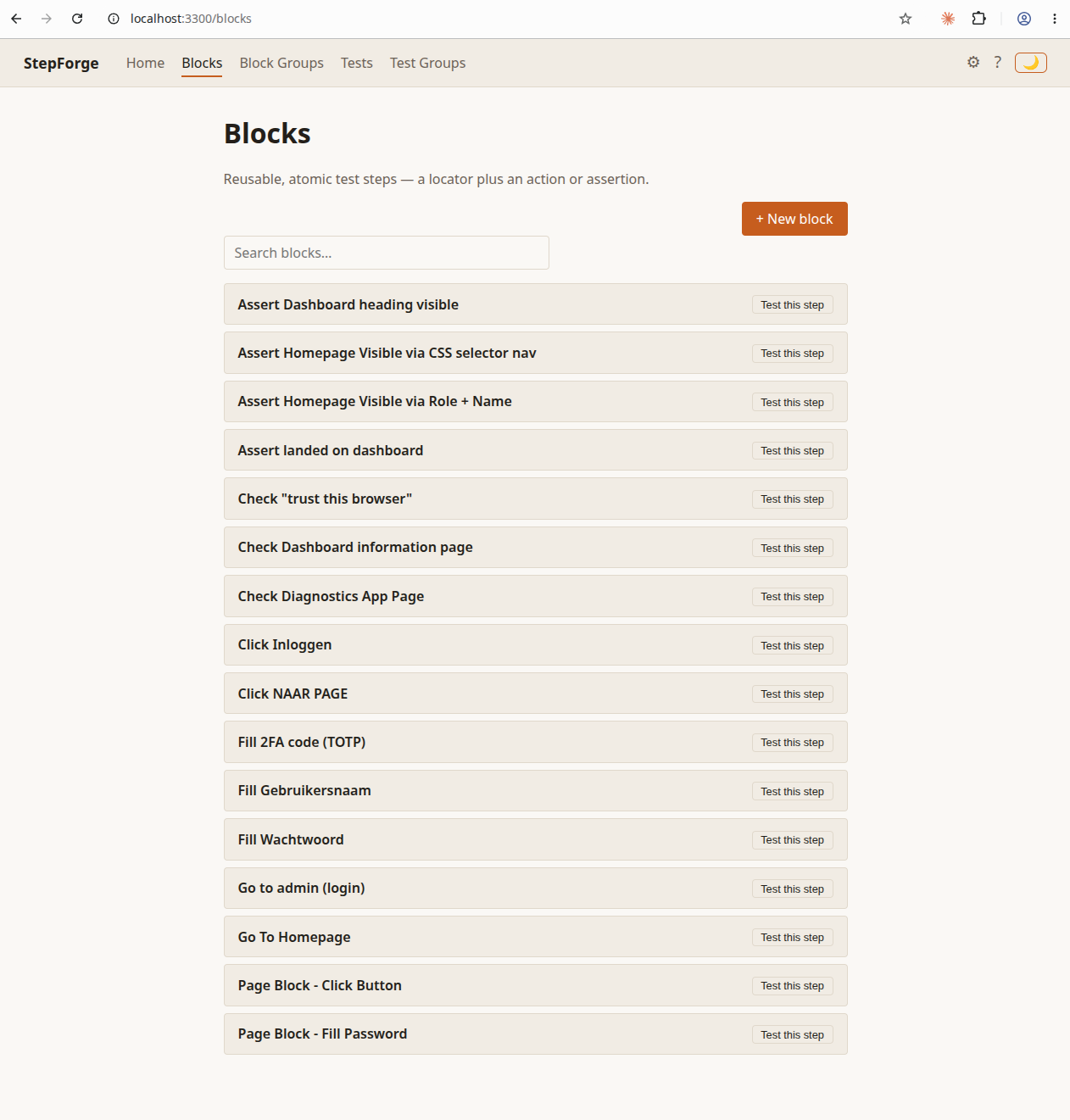
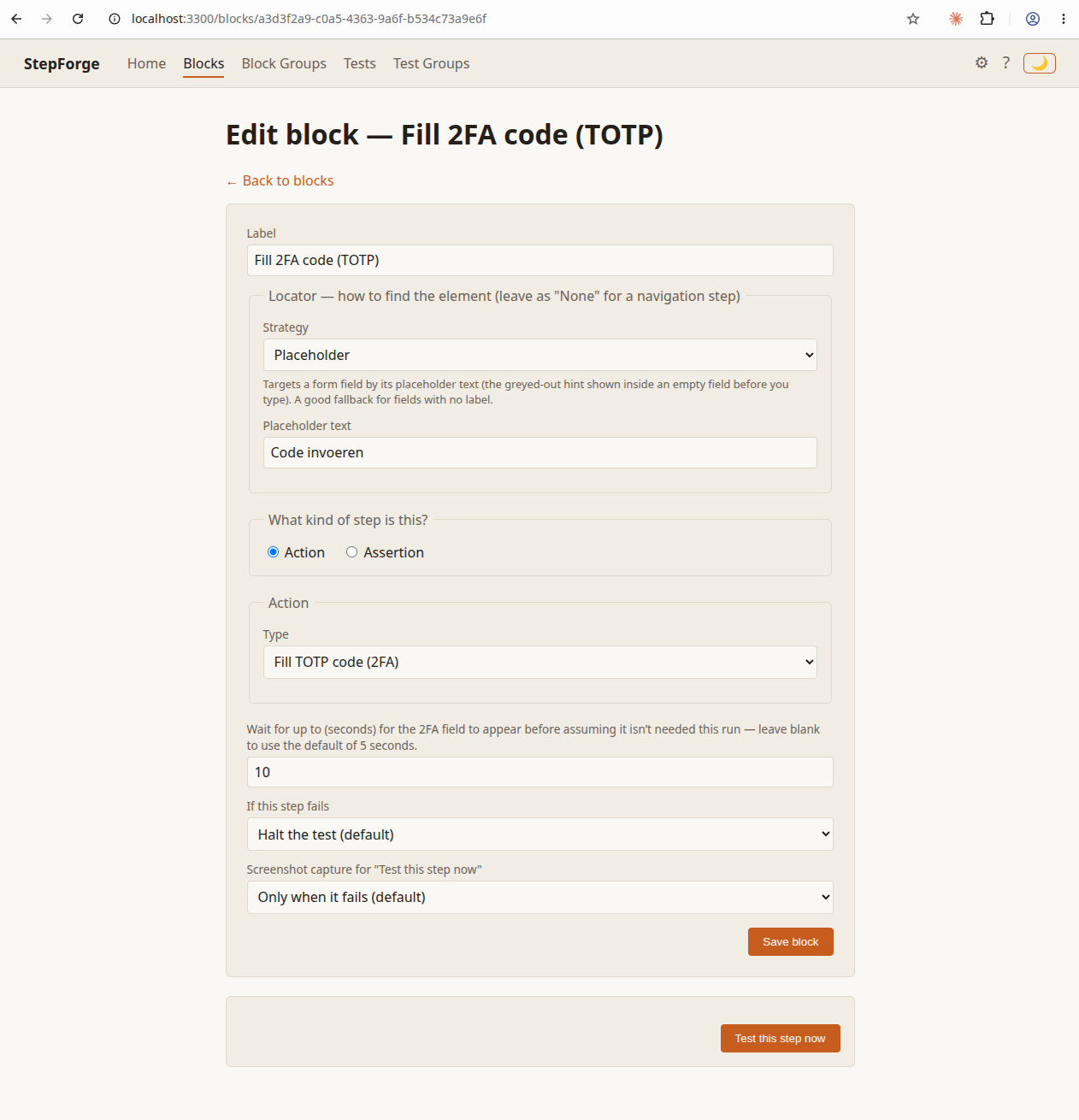
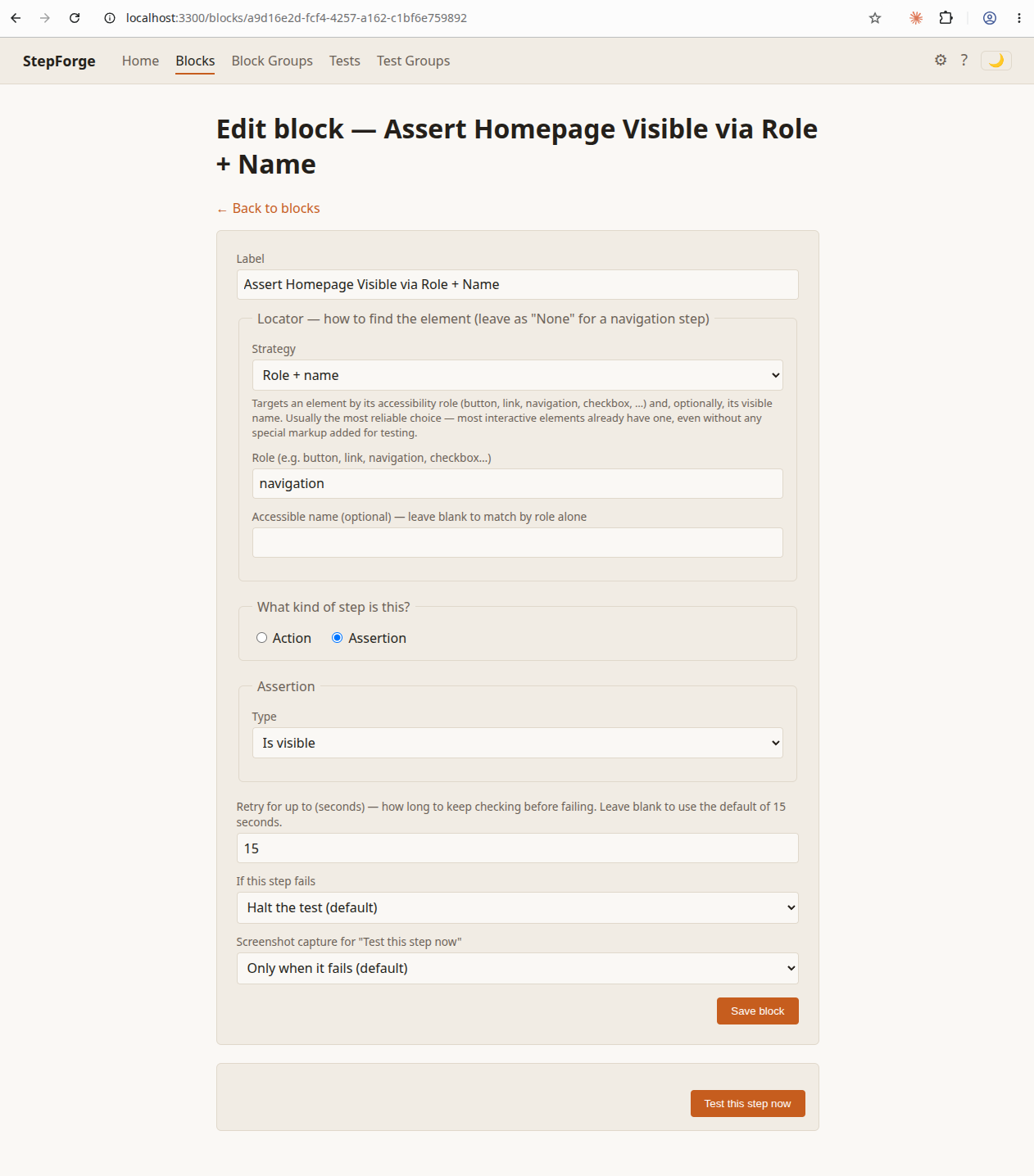
Block
One atomic step: a locator (role, text, label, placeholder, test id,
or a CSS id as a last resort) paired with either an action
(navigate, click, fill, select, check, hover, fill a TOTP code) or
an assertion (visible, has text, has URL, count equals N).
-
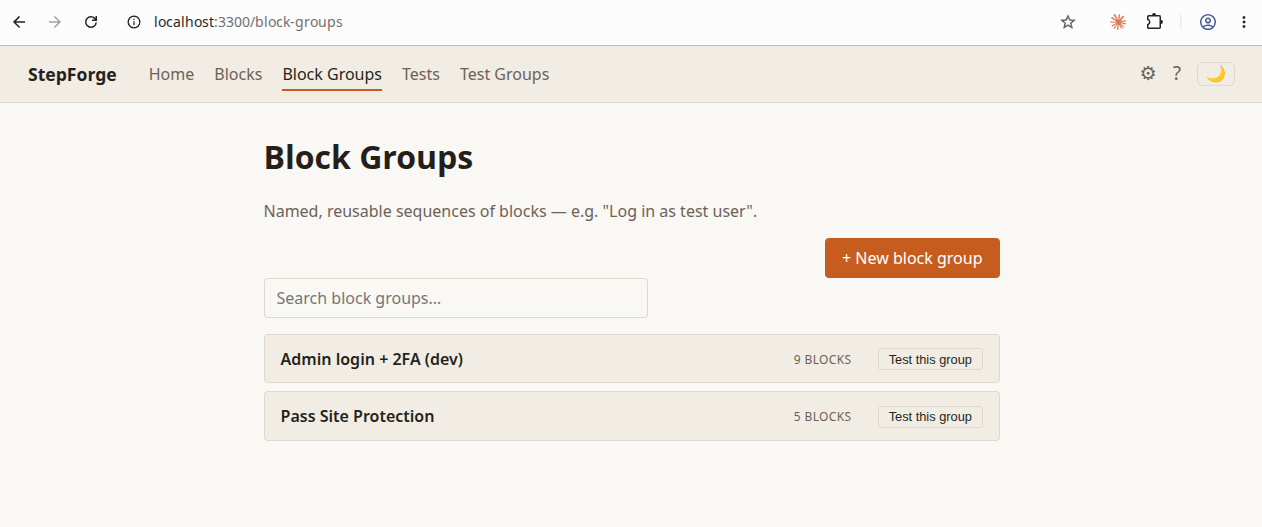
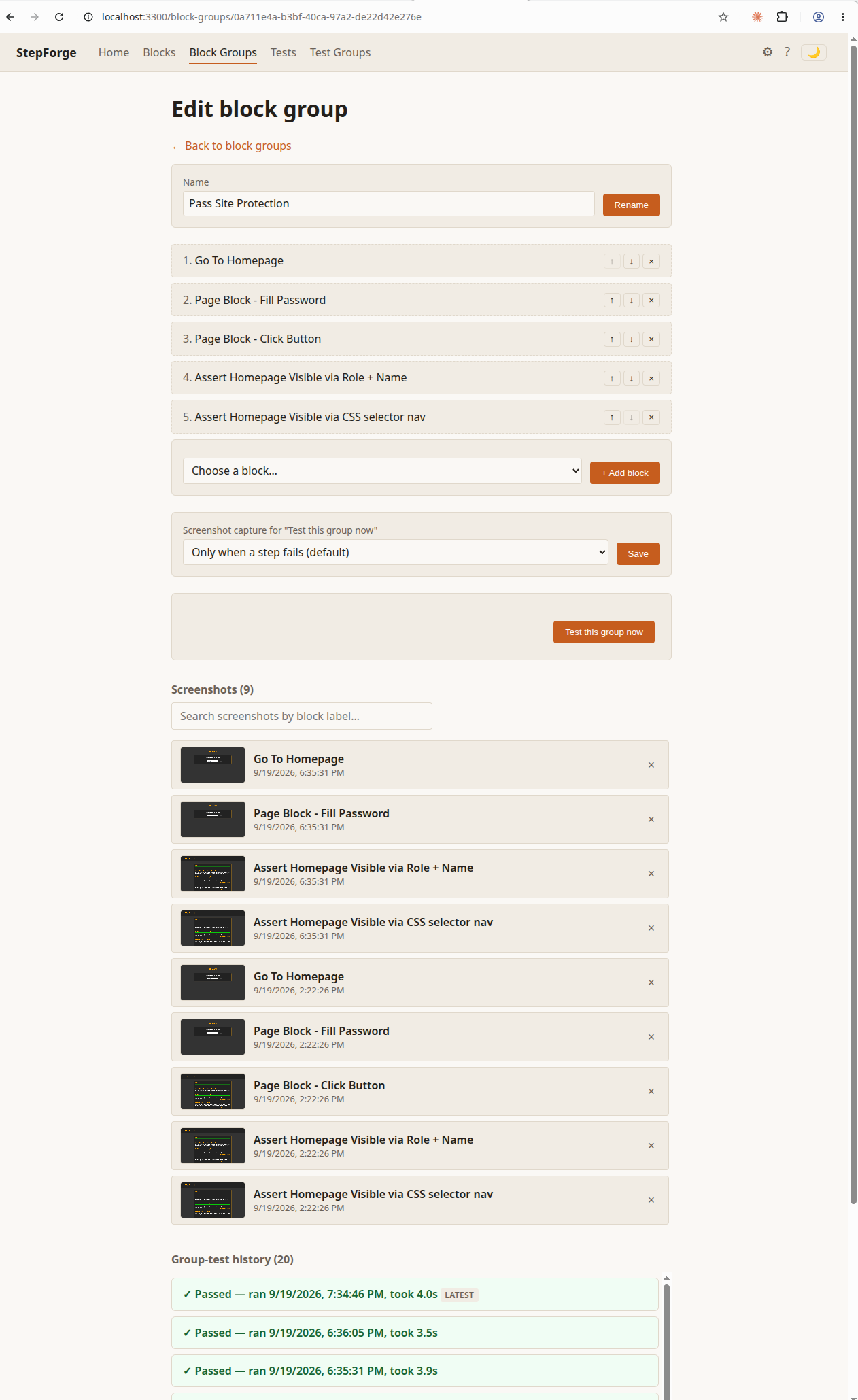
Block Group
A named, reusable, ordered list of blocks. Editing a block updates
every group that uses it immediately — a live reference.
-
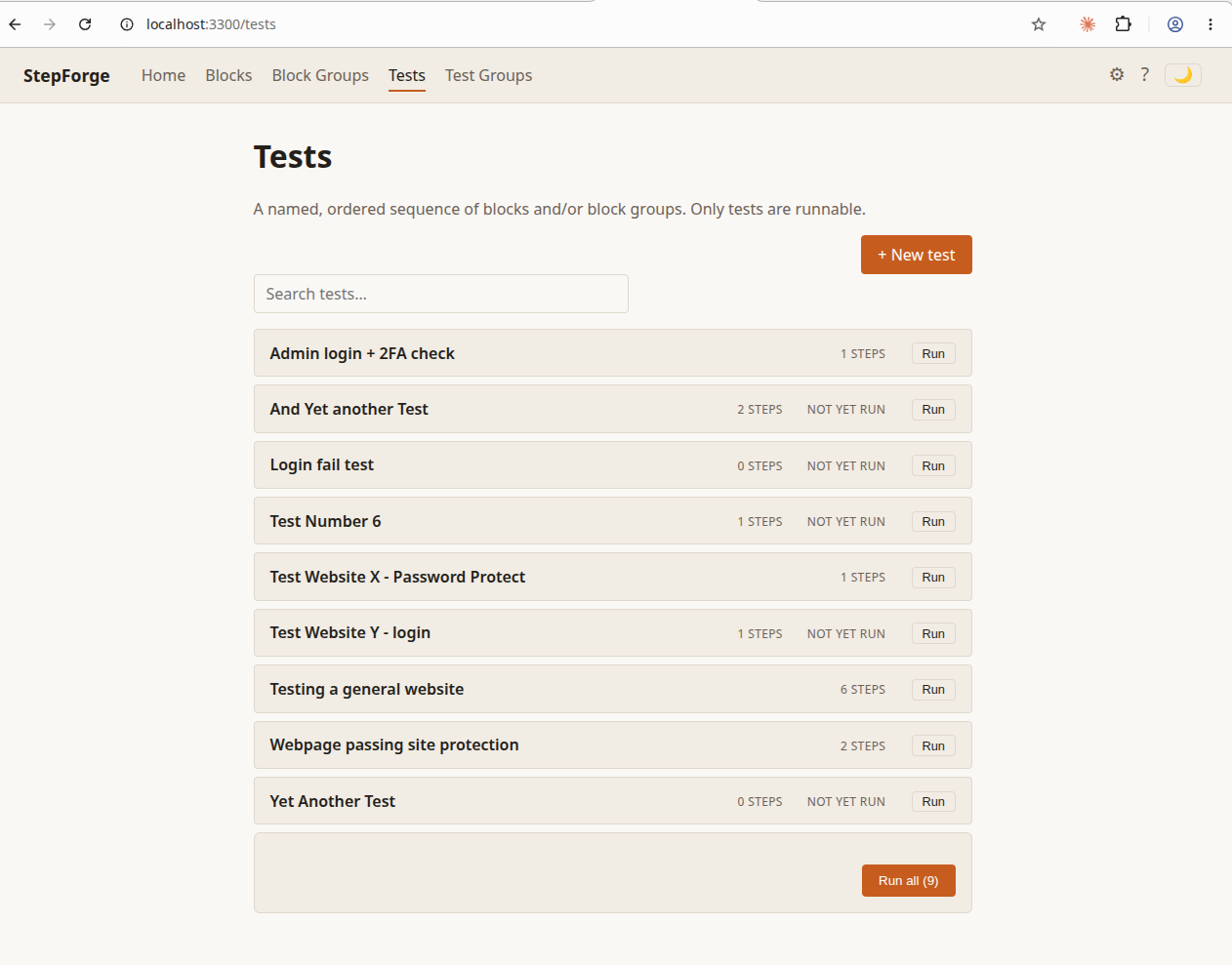
Test
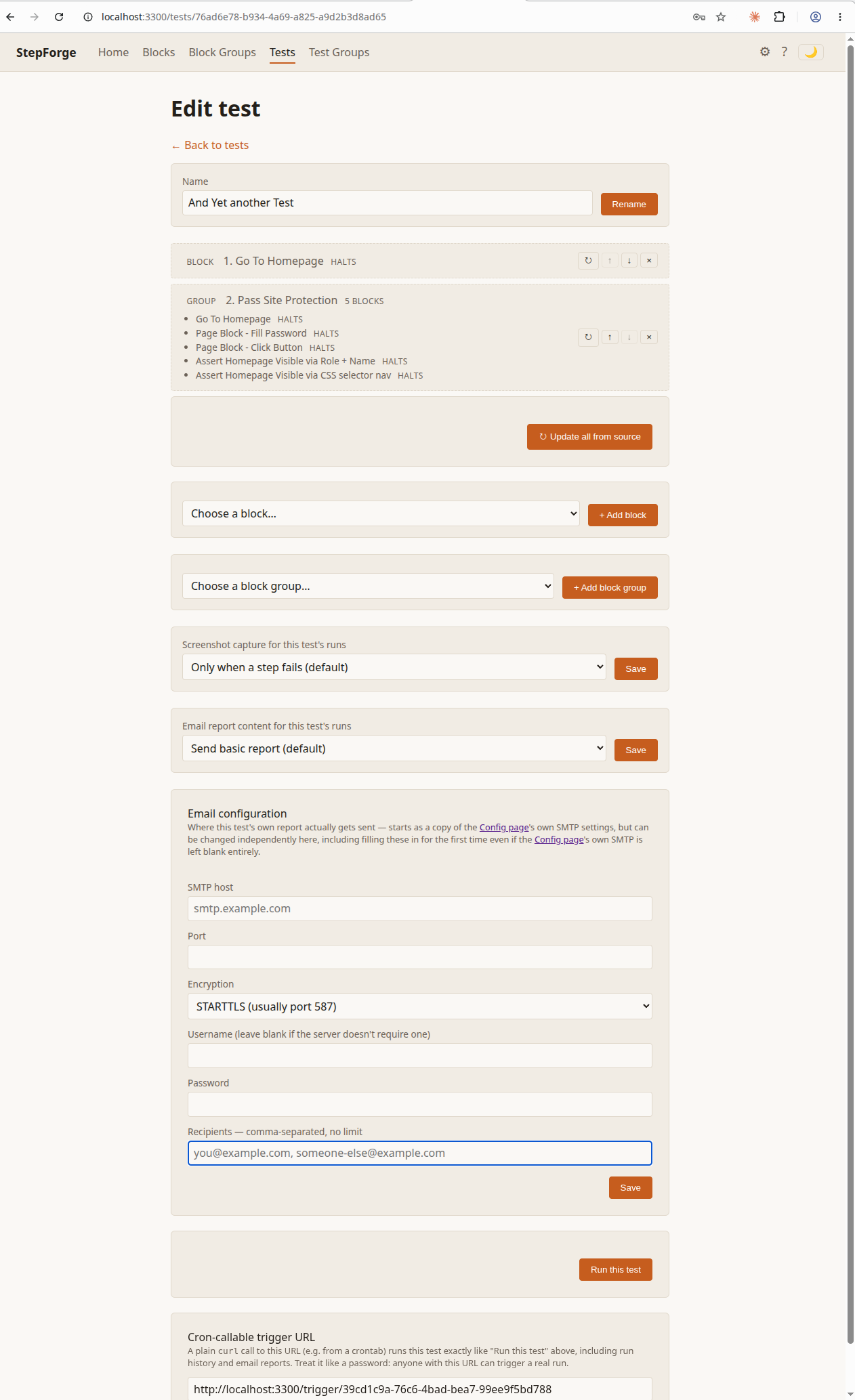
A named sequence of blocks and/or block groups. When a test
includes a group, it takes an independent copy of that group's
blocks at the time it's added, so editing a shared group later
never silently breaks other tests that already used it.
-
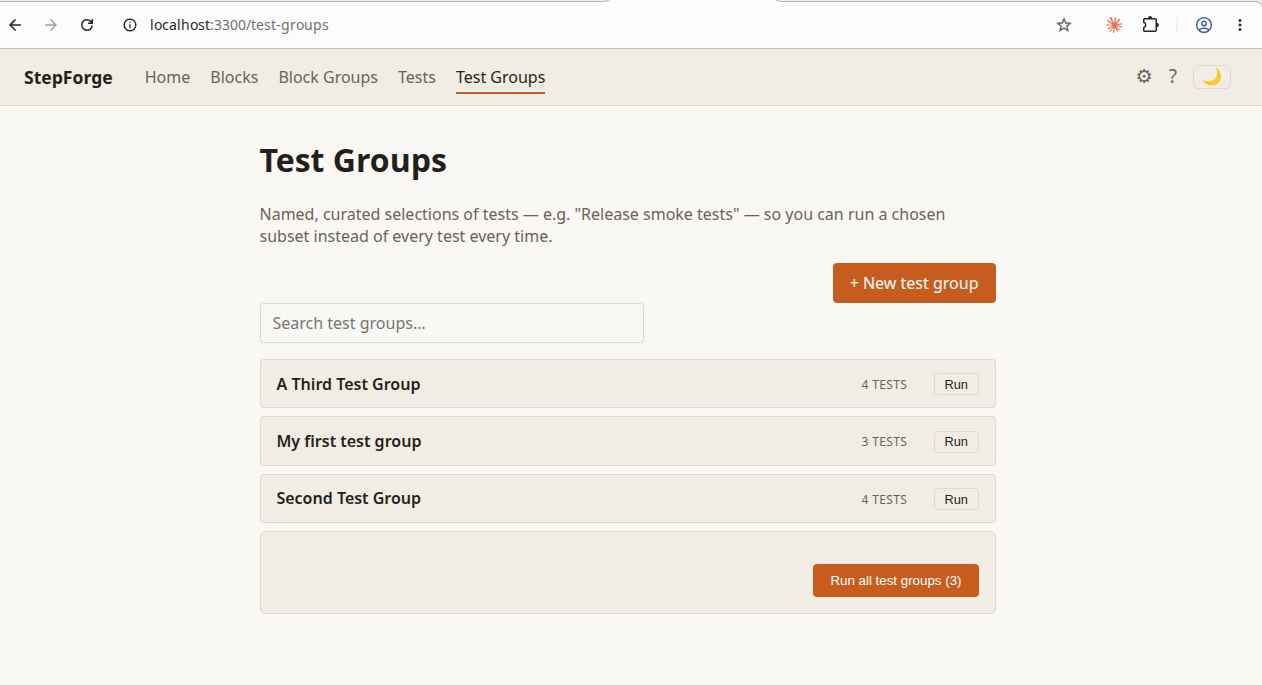
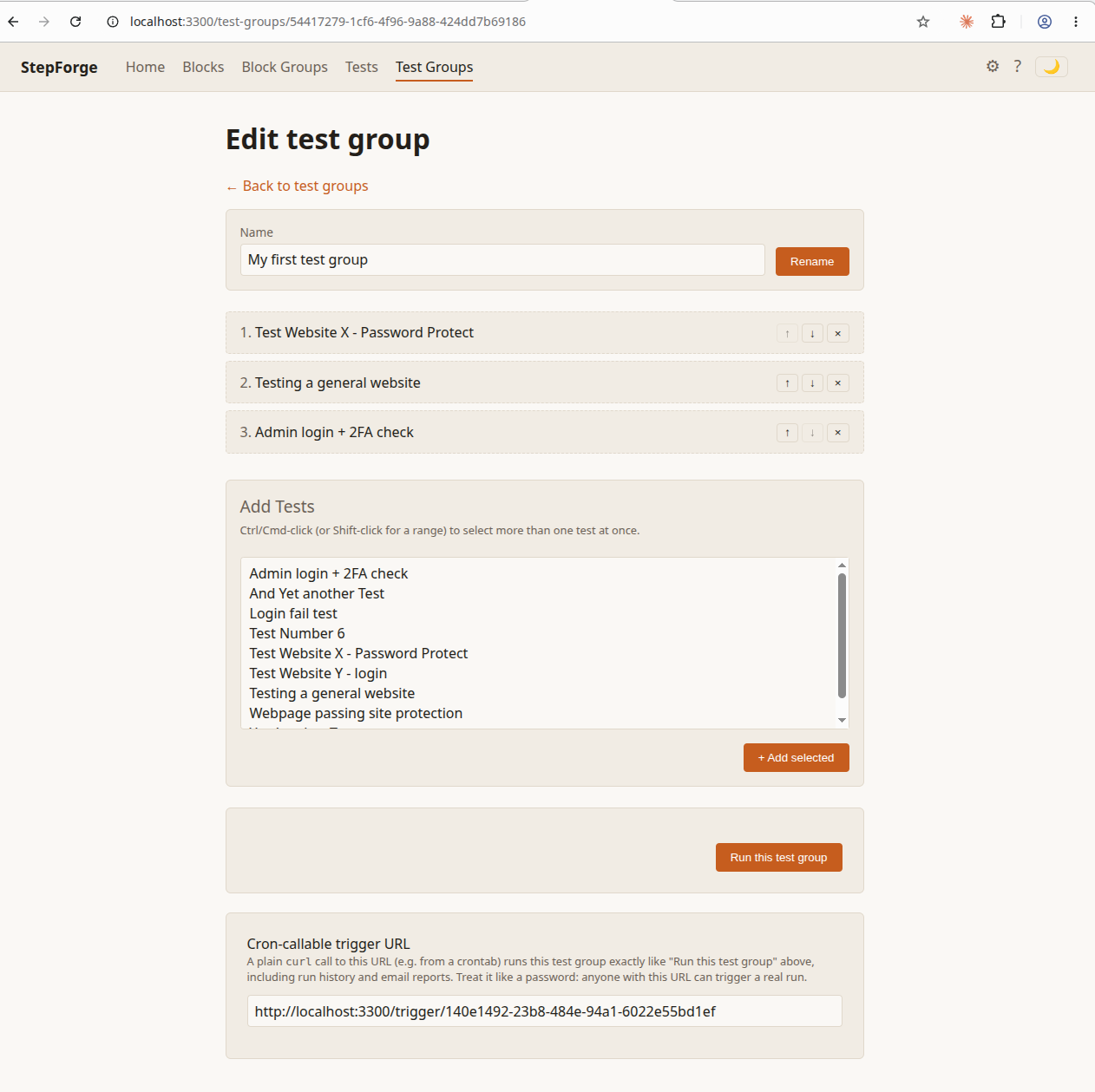
Test Group
A named selection of tests — for example "release smoke tests" —
so running a release check doesn't mean touching every test in the
library manually per test. It also always runs each test's current version.
Deleting things
Deleting a Block, Block Group, Test, or Test Group doesn't remove it outright — it's a soft delete. The item disappears from its own list immediately, but stays recoverable in a Trash view until an admin chooses to permanently purge it.
You can delete something even while it's still being used elsewhere — a Block that's still part of a Block Group, say. Nothing stops you, and nothing breaks: that group simply runs one step shorter until the block is restored or removed from the group.
The Trash lists everything that's been soft-deleted, with a one-click restore for each. In plain terms: nothing is truly gone until someone with admin access presses the one button that empties the Trash for good — that part can't be undone.
Email reports
With SMTP configured, StepForge can email a report every time a real Test finishes — on its own, as part of "Run all," inside a Test Group, or through a cron-callable trigger URL. Each Test always sends its own separate email, even as part of a group — there's no combined report — and a standalone "Test this step/group now" run never sends one.
How much a report actually contains is a separate setting: No reporting, Basic (pass/fail, when it ran, how long it took), Full text (basic, plus the failure log when a run fails), or Full text + screenshots (full, plus every screenshot the run captured, zipped and attached). There's a machine-wide default, and each test can override it individually.
Cron-callable trigger URL
Every Test and Test Group gets its own unique trigger URL, shown
right on its own edit page. Calling that URL — with
curl, from a crontab, or from any other external
scheduler — runs it exactly the same way clicking "Run this test"
does in the browser: same run history, same email report, with no
login session needed at all.
The URL itself is the only thing standing between "anyone with the link" and "a real run happening." In plain terms: treat it exactly like a password — don't paste it into a public script, a shared doc, or a chat channel anyone outside your team can read.
How it's meant to be deployed
StepForge is open source at the code level only. Each real deployment is meant to be one instance per company or person — a single developer running it locally, or one company's own private server their own devs log into. It's not designed as a shared library where independent people or companies trade block and test definitions through the project itself; whatever blocks and tests a given deployment builds stay that deployment's own, private, often company-specific content.
That's a statement about how the app itself works, not a limit on how many times you're allowed to run it. Nothing stops a person or company from spinning up as many separate instances as they like — thousands, if you want. StepForge simply doesn't provide any built-in mechanism for those instances to share blocks, groups, or tests with each other. If you want several instances working from the same library, you're free to do that — you'd just need to find your own way of syncing the underlying files between them, since that's outside what the app itself handles.
Access & security
Login is optional and off by default. Turned on, any number of accounts can exist, and everyone who can log in can use the app fully — the only distinction is that one account is always the admin, and only an admin can add, edit, or remove other accounts. Whether login is on or off, StepForge is still built to run as one instance per person or company, not as a shared, internet-facing service, so access control is still primarily expected to happen at the network level. Deploy it on your own machine, or on a private server only your own team can reach — behind a firewall, a VPN, or an internal-only network segment. Never expose it directly to the open internet.